Gallery Card
Modernizing the User Interface

The Problem
In the Learning Management area of the product, activities and courses defaulted to displaying in tables, resulting in a very text-heavy experience. Viewing the available learning activities was lack-luster at best, and the Product Management team wanted to transform the experience of browsing learning activities through improving upon the UI.
I was engaged by the Product Management team to assist with designing a “gallery card” as an alternative method for displaying numerous records.
Requirements
Product Management provided the requirements that they wished to include as part of the gallery view design for the learning activities. These included the following items:
An image
Main activity/course title
Description
Overall rating
Ability to launch or enroll in the activity
Research
Looking at market leaders: what do they show?
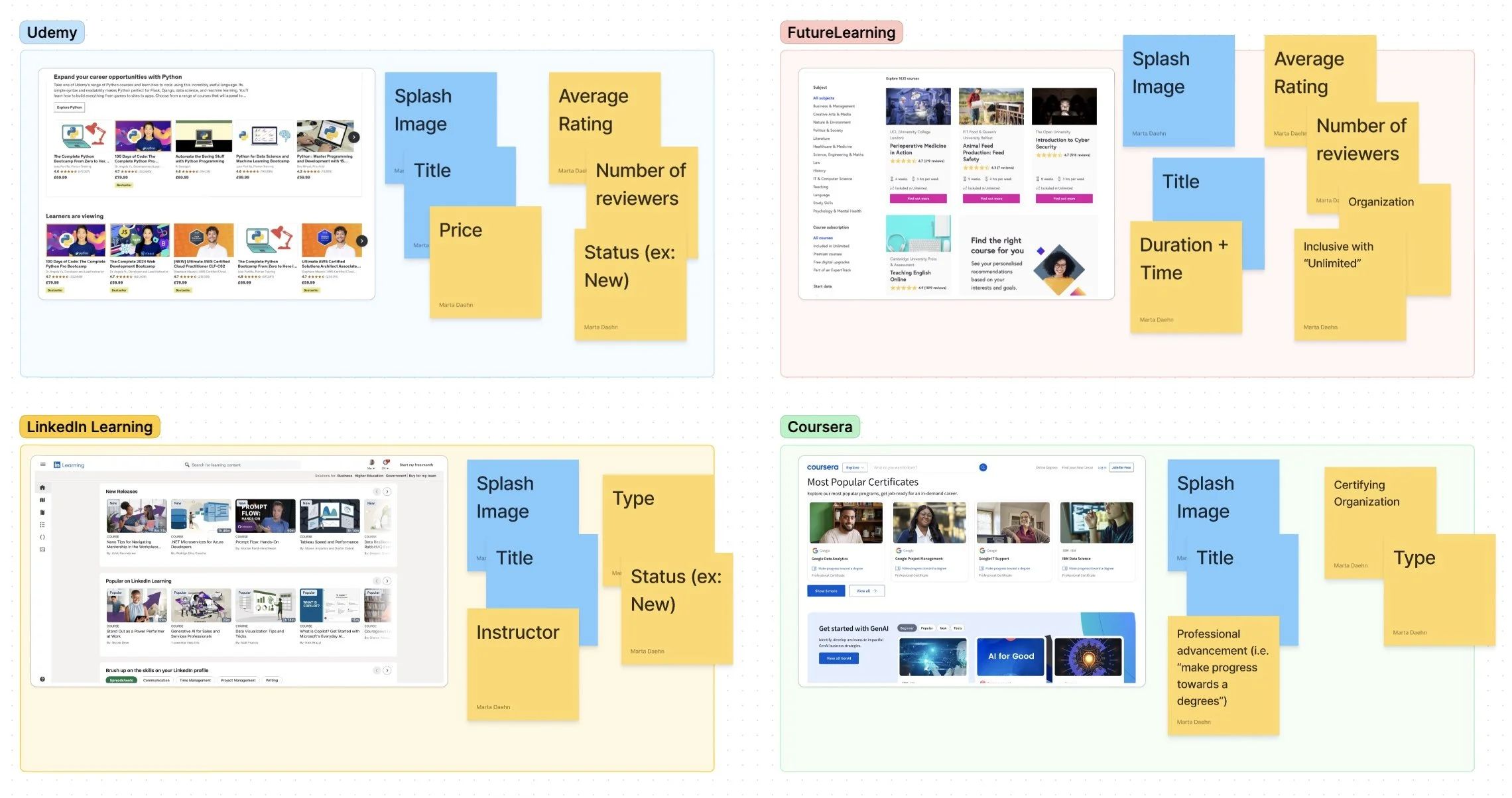
All examples featured a splash image and a title. The additional information included varied, and I consulted with the Product Team to determine what further details we should include in our version of the card.
Design
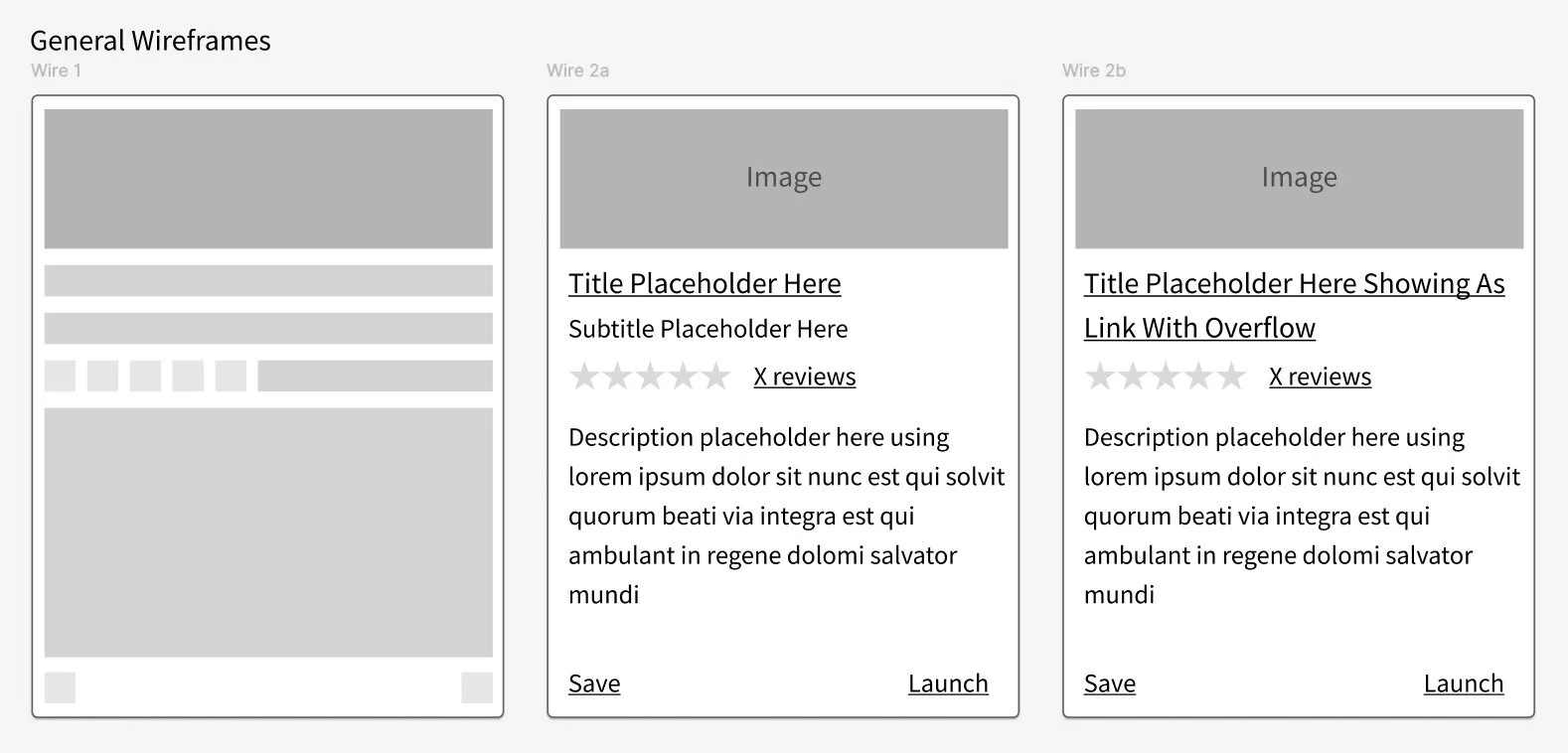
Building on the basics.
After reviewing market examples, I began to block out ideas on how our cards could display
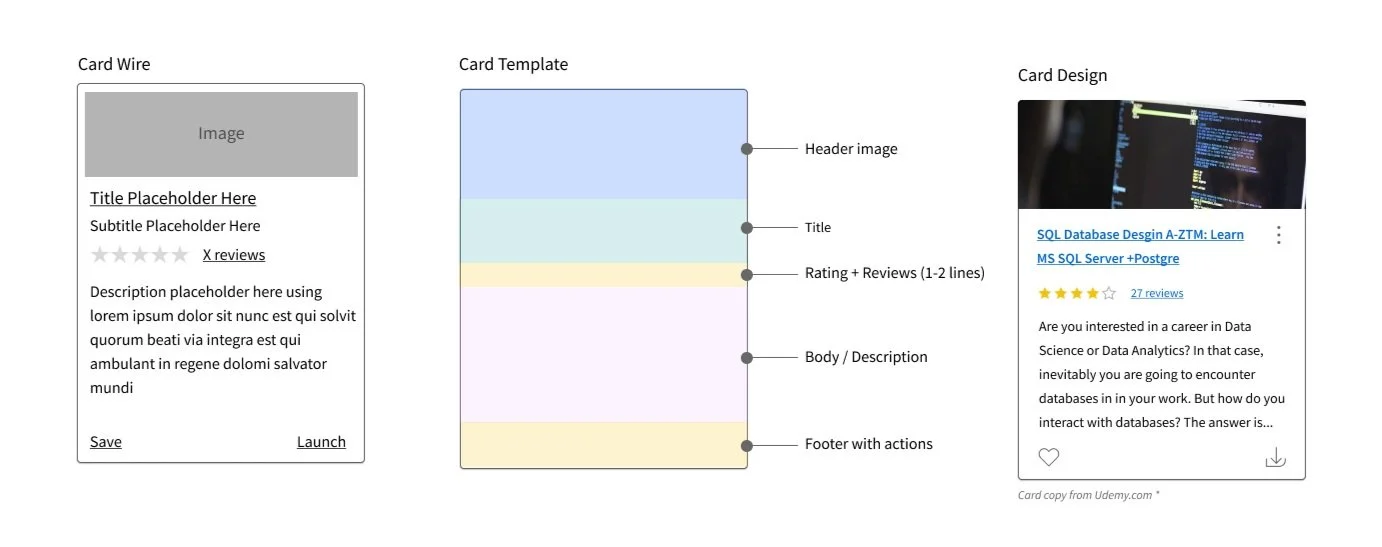
As we worked through the design of the card and considered what content should be included, we also conducted reviews with our technical team to determine how the card would be constructed. The card template (shown below) was meant as a starting point for our technical team to understand the different sections of the card and what we wanted within each.
Hand-off & Development
Final mock-ups were created to show the full experience of how the gallery cards would be utilized within a list. The initial iteration I worked on showed the cards in a horizontal-scrolling list. After further discussion, we agreed to expand this functionality to allow the cards to flow down the page.
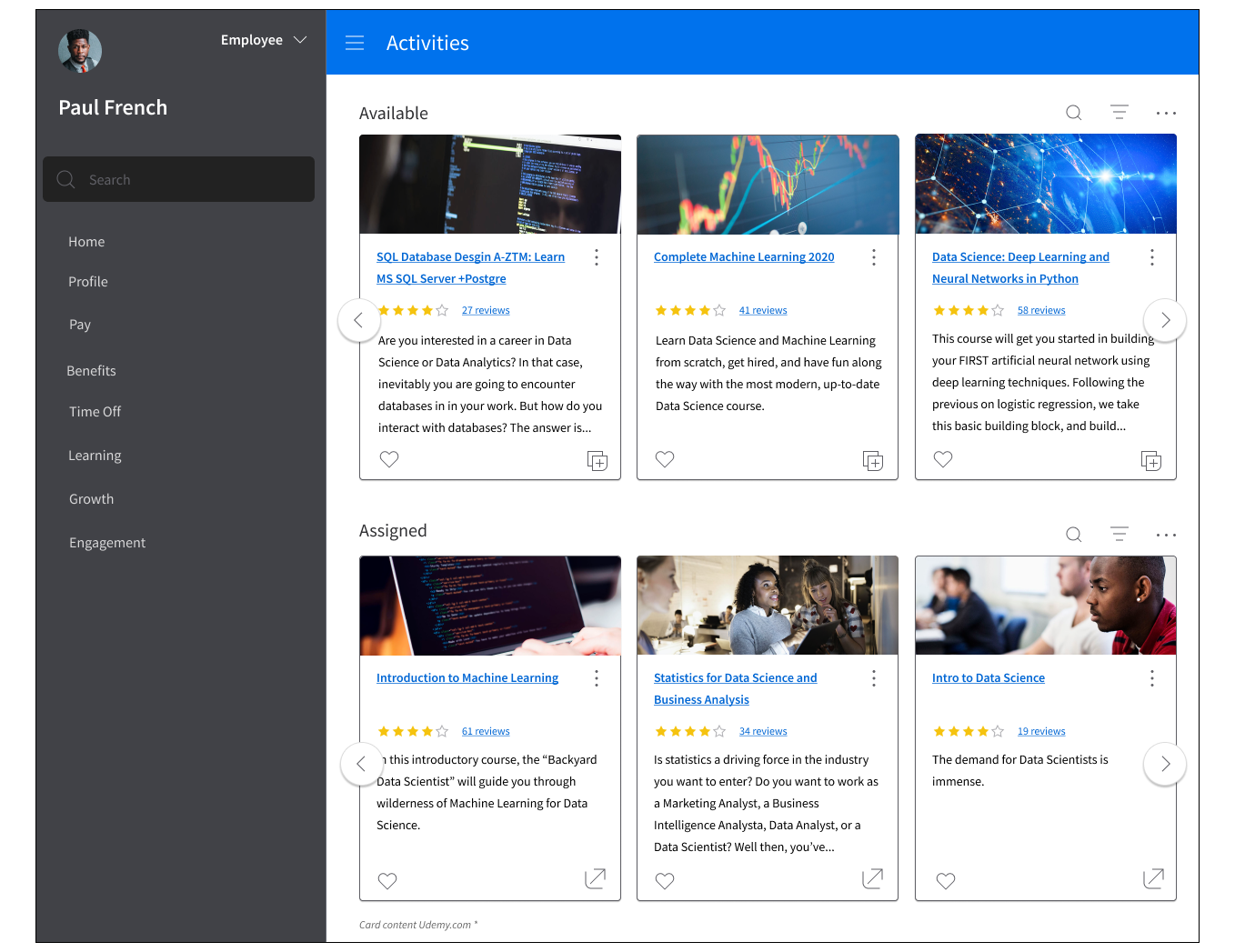
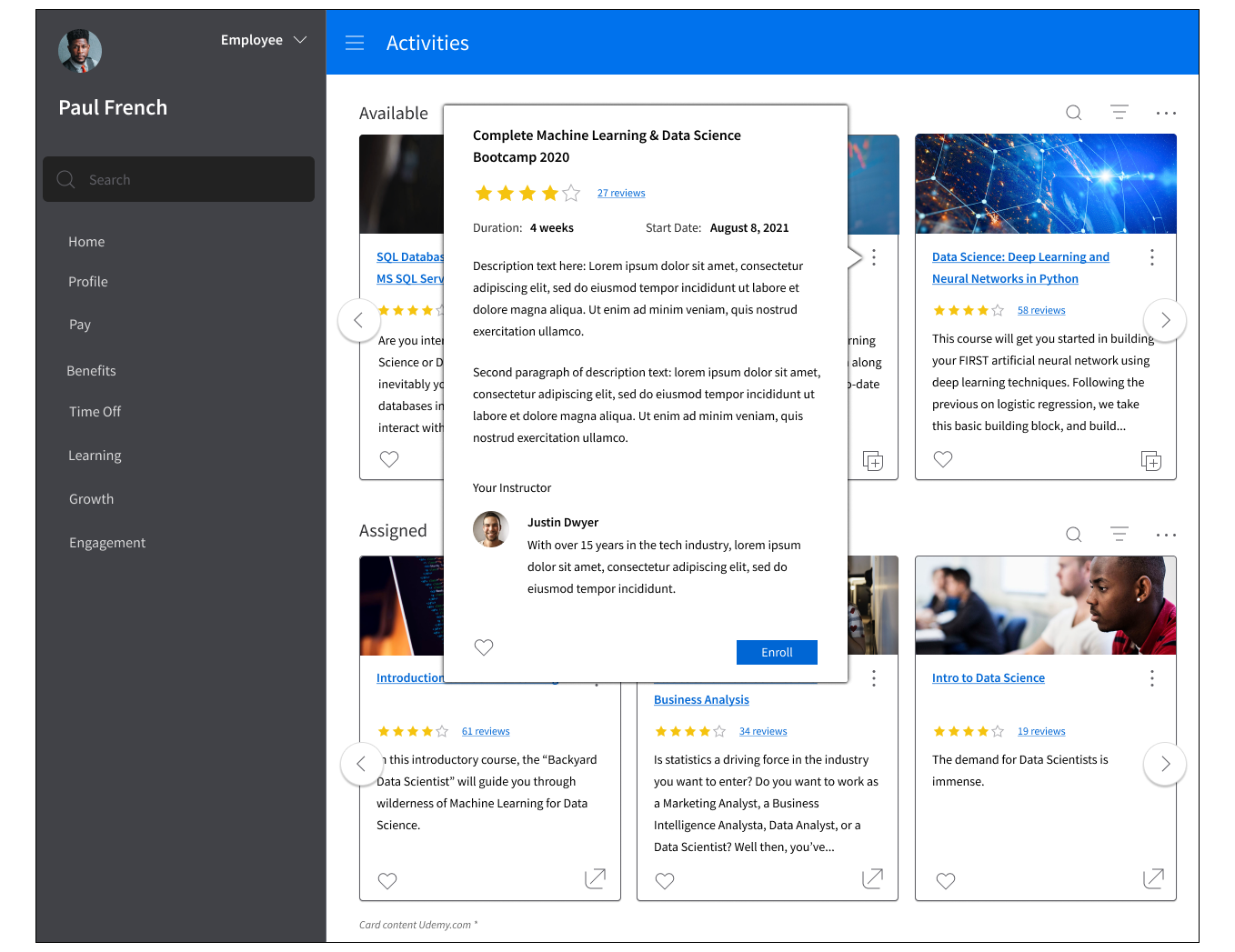
Discussions with our technical team and the Product Management continued as the gallery card was developed, and later implemented within the product. Following its release, the gallery card was utilized elsewhere within the product and allowed otherwise bland screens to give more excitement to a page.